How to Set Up a TikTok Account Without Your Personal Phone Number
Set up TikTok with email when offered, assess optional VerifyNumber SMS access, and review contact suggestions and recovery before using a temporary number.
Start with email if TikTok offers it in your signup flow. You do not need to buy a number simply to keep your personal number off a new profile. TikTok’s signup page offers a phone-or-email route, while its account guidance explains how each contact method is linked to an account.
If your flow requires SMS, assess a separate number before spending money. A temporary verification session is not the same as a number you can keep for future logins. This guide covers the optional VerifyNumber setup, TikTok signup, and the privacy and recovery choices to make afterward. Availability and prompts can vary; no number provider can promise that your signup will be accepted.
TL;DR
- Use an email address you control when TikTok offers email signup. In that case, skip the optional VerifyNumber setup in Steps 1–3.
- For an SMS route, check the current rental options, number-access period and support terms before funding or ordering.
- Review contact syncing and account suggestions separately. A different number does not make a profile anonymous.
- Keep an accessible login method and set up account security before a temporary number expires.
Why Create a TikTok Account Without Your Personal Number?
A cooking channel or photography portfolio may need contact details separate from your everyday calls and messages. A dedicated email address can provide that separation without adding a paid SMS session. The practical question is which contact method you can both use now and maintain later.
There are two decisions here: how to register and how people might discover you. TikTok’s suggested-account documentation describes connections involving phone numbers, email addresses, synced contacts and shared links. Changing the number alone does not address all of those connections. Step 5 covers the relevant settings.
For an account you intend to grow, choose the recovery plan first. Picture returning after replacing your phone: which inbox, device or number would still be yours? If a proposed verification route has no satisfactory answer, reconsider it before attaching the account to that route.
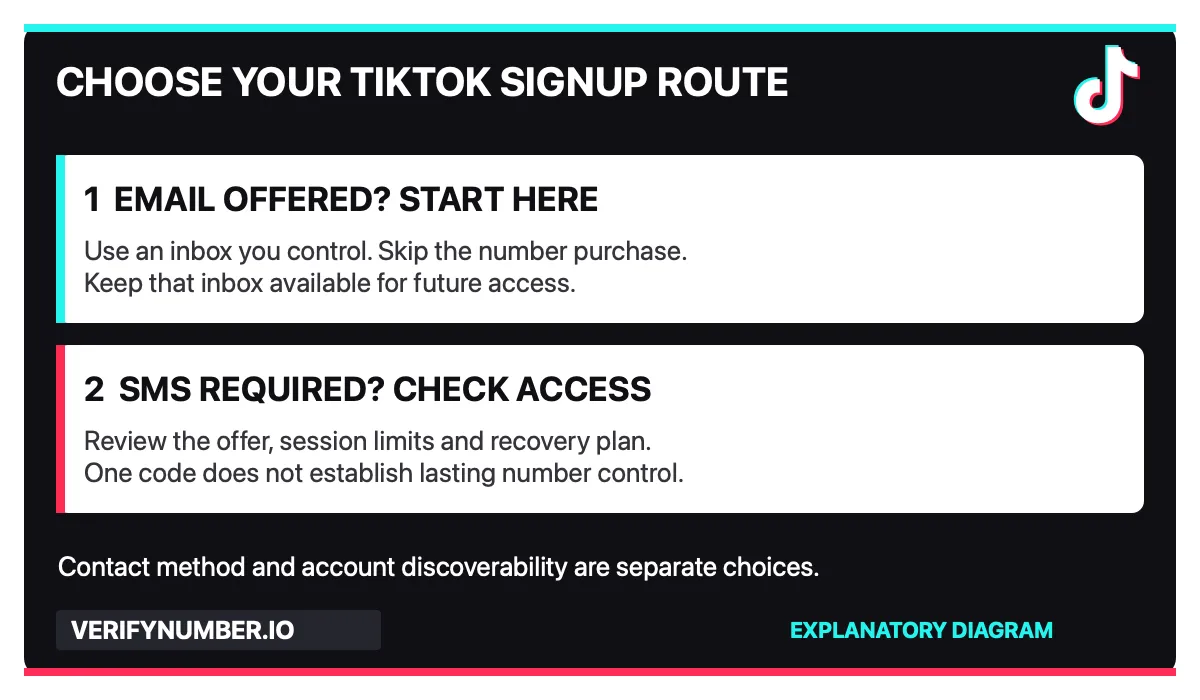
Choose a contact method before spending. This is an explanatory diagram, not a TikTok screen.
Email route: go directly to Step 4. Steps 1–3 apply only if you decide to explore a separate number through VerifyNumber. Existing users can skip setup they have already completed.
Step 1: Open Your VerifyNumber Account, If Needed
Open VerifyNumber and sign in to your own account. If you are new, follow the account-access instructions shown. Existing users can skip completed setup. These steps are optional if TikTok offers a suitable route that does not require another number, or you already have a number you can keep.
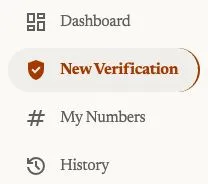
Current account navigation, captured October 23, 2026. Open New Verification to review a rental; My Numbers is the entry point for your rented numbers.
Step 2: Review the Rental Cost and Your Wallet
Review the rental duration and price before adding money. Rentals are paid from your wallet before a number is assigned, as explained on VerifyNumber Support. If your balance is insufficient, use Top up wallet and check the amount and payment terms displayed. An existing balance may already cover the rental.

Current wallet entry point, captured October 23, 2026. This crop does not show a payment or establish a minimum deposit.
Confirm the current fees and credits terms before paying. A rental fee does not guarantee that TikTok will accept the assigned number or send a code.
Step 3: Choose a Duration and Get Your Number
Open New Verification. Under Choose how long you need it, review the 10 minutes and 1 month options. The current flow does not ask you to select TikTok or any other service. One active rental can receive SMS sent to its number from different apps and websites during its access window.
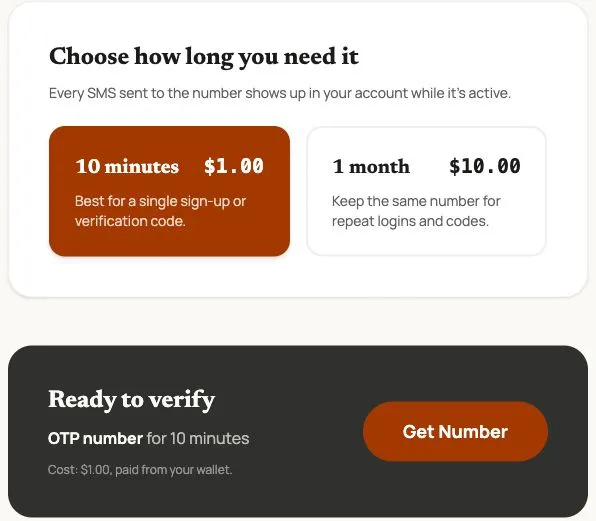
Actual VerifyNumber screen captured October 23, 2026. Prices are dated examples; review the live charge. This is a rental-selection screen, not proof of TikTok acceptance or SMS delivery.
Choose the duration that fits your task, review Ready to verify, and use Get Number only when ready to start the paid rental. After assignment, check the complete number, country code and expiry, and keep the rental accessible while following TikTok’s verification prompts.
No service selection does not mean universal acceptance. TikTok controls its number requirements and account checks. A month-long rental is still time-limited; confirm extension and retention conditions before relying on it for later logins. For a lasting account, prioritize continuing control of its contact methods.
Step 4: Create the TikTok Account With Your Chosen Method
Use TikTok’s official app or signup page. Choose the phone-or-email option when available, then follow the current prompts. Provide accurate account details and review the terms presented before completing registration.
With email: select the email option, use an inbox you control, and complete the requested confirmation. If that route is sufficient, there is no number order to place. A separate email inbox is useful only if you will keep access to it.
With a separate number: confirm the assigned digits and country code before requesting SMS. Keep the provider session accessible. If the verification message arrives, enter its code only in the TikTok flow you started. Follow any additional checks TikTok presents; receiving a code does not guarantee completion.
If Verification Stops
Check the entered contact details once, then follow the wait or retry instructions shown. Confirm that the provider session is still active and showing the same number you entered in TikTok. Avoid purchasing successive numbers just to repeat the same failed attempt.
TikTok says an email address or phone number can be associated with only one account at a time. If you receive an already-linked message, use the official account-help route to understand the problem. Do not try to take over an account belonging to a previous holder of a recycled number.
Step 5: Review Contact Syncing and Account Suggestions
Once signed in, open Profile, the menu, then Settings and privacy. Under Privacy, review Suggest your account to others and Sync contacts and Facebook friends. Choose the sharing and discovery settings that fit your purpose.
TikTok distinguishes stopping future contact syncing from removing contacts previously synced. Review both if you have already shared your address book. Its documentation also says that switching off all suggestion settings does not prevent every suggestion, including some based on interactions or mutual connections. Read the settings explanation for the scope of each control.
A dedicated contact method is one part of your setup. Also consider whether your public username, profile photo and posts reveal connections you wanted to keep separate.
Step 6: Plan Your Next Login Before Leaving
Open Settings and privacy, then Security & permissions. TikTok’s account-safety guidance describes Security checkup, trusted-device review and two-step verification. Follow the options available in your account. Its documented two-step setup asks for at least two verification methods and includes email and an authenticator option.
Keep your chosen methods usable independently of an expiring SMS session. TikTok’s contact-method guidance says a phone number can be removed after another login method is provided. It also says changing numbers requires the old and new numbers to be active and verified. Review the current process while you still have access, rather than assuming you can replace a number afterward.
For other platforms, consult our Gmail signup guide and Telegram setup guide. Their platform-specific requirements should not be treated as TikTok requirements.
VerifyNumber Compared With Free TikTok Signup Options
The useful comparison is control over the contact method, not simply paid versus free.
| Route | When it may fit | Main consideration |
|---|---|---|
| Email you control | TikTok offers email signup for your flow | Keep the inbox accessible. No SMS purchase is needed if email is sufficient. |
| Free public SMS inbox | Understanding how shared SMS reception works | Other visitors can read its messages. Avoid it for an account you intend to maintain. |
| VerifyNumber session | You need a separate number and its current offer suits the task | Check price, permitted use, message access and future availability before ordering. |
| Separate number you maintain | You expect to need the same number later | Budget for continuing access and verify the plan’s SMS features. Acceptance is still conditional. |
A public inbox and an email inbox under your control solve different problems. Paying for a session also does not establish permanent ownership. Evaluate the access arrangement instead of assuming either price category settles the decision.
Additional Benefits of Using VerifyNumber for TikTok
No platform picker. Choose a rental duration without searching for TikTok in a catalog. The number can receive messages from different apps while active, subject to each app accepting it.
A visible account workflow. The current navigation, wallet and duration-selection screenshots show the setup stages to review. They help you prepare without establishing current price or delivery performance.
Separation at the phone-verification step. If an appropriate separate number is accepted, you can use it instead of submitting your personal number in that step. This benefit does not replace TikTok’s privacy settings or your recovery plan.
Wrapping Up
Try an email address you control when that option meets your needs. If you need SMS, review VerifyNumber access, funding and the current rental duration and price before ordering. After signup, check contact suggestions and secure your next login while every contact method is still accessible.
Need to assess a separate number? Visit VerifyNumber.io to review current rental durations and number-access terms. Choose a session only when those terms fit your account plans.
Need more help? Visit VerifyNumber Support or email support@verifynumber.io. If something goes wrong with your rental, our team will review the issue and help you work through the next steps. Share the rental ID and relevant error, never your password or verification code.