How to Set Up a Bumble Account Without Your Personal Phone Number
Set up Bumble with a separate number, review temporary SMS rental limits, and add another login method before the number expires. Includes current setup steps.
You can keep your everyday phone number separate from Bumble by using another number you control, if Bumble accepts it. That is different from creating an account with no phone verification. Bumble’s current signup instructions use a mobile number, and a temporary rental should never be your only plan for keeping access to a dating profile.
This guide covers the optional VerifyNumber setup, Bumble’s SMS signup steps, and the account settings to review before a separate number expires. We have inspected the VerifyNumber interface and checked Bumble’s documentation; we have not tested Bumble registration with a rented number.
TL;DR
- Use the Bumble mobile app and a number you control. Acceptance of a rented number is not guaranteed.
- Skip the VerifyNumber purchase steps if you already have a suitable separate mobile line.
- VerifyNumber currently offers an OTP service and a choice of rental durations. Check the current price and expiry before paying.
- Add a secondary Bumble login method and replace an expiring linked number while you still have access.
Why Keep Your Personal Number Separate From Bumble?
A separate line can help you keep dating-related account access apart from the number you use for family, work, and everyday messages. The useful distinction is between the number you give Bumble for account verification and any contact details you later choose to share with a match. Using another number for signup does not make your profile anonymous or prevent someone from recognizing your photos.
For an account you intend to keep, a separate mobile line you can maintain is the more practical starting point. Temporary receiving access may fit a limited verification task, but a short rental creates an immediate follow-up obligation: remove or update the linked number before you lose control of it. Even a one-month rental has an end date.
Bumble explicitly warns that reassigned numbers can expose account information to a new holder. Its secondary login guidance makes maintaining access part of setup, not something to postpone until a login fails.
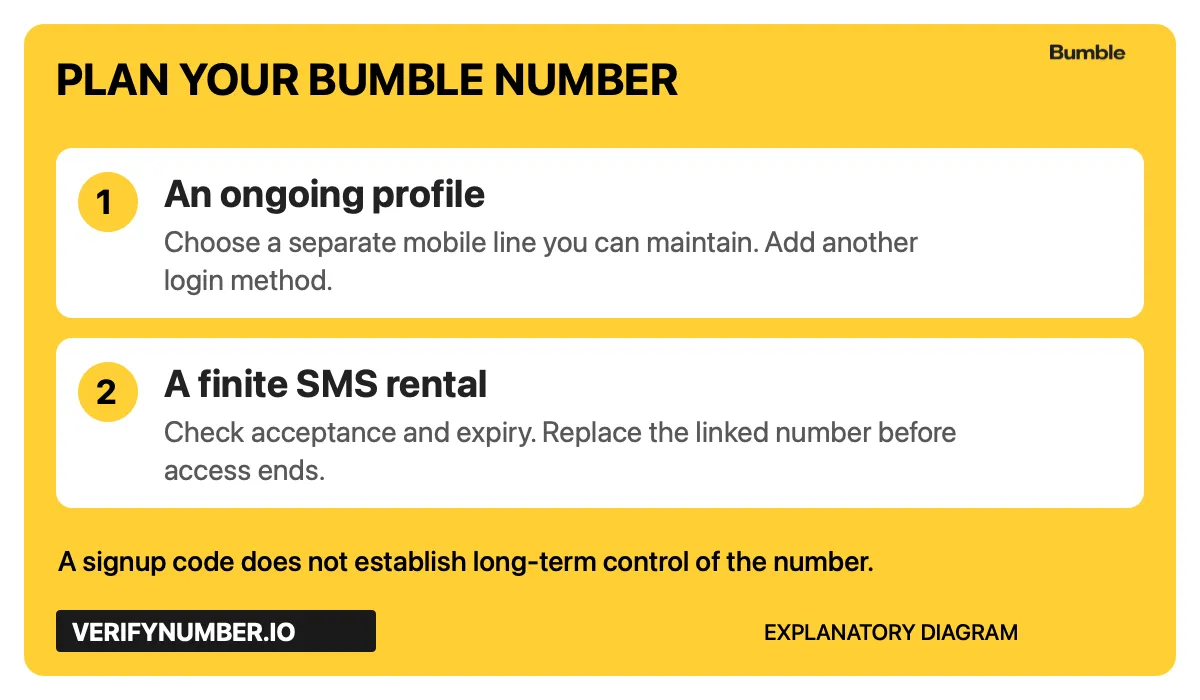
An explanatory diagram, not a Bumble screen. Receiving the first code and keeping control of the linked number are separate decisions.
Step 1: Access Your VerifyNumber Account, If Needed
Steps 1–3 are optional. If you already have a suitable separate mobile number, go directly to Step 4. Do not buy a rental simply because a tutorial includes one.
Open the VerifyNumber app and use the account access option shown. After signing in, look for New Verification under SMS Verification. My Numbers is the entry point for your rentals. The app also has voice testing tools; those are a different workflow from receiving an SMS signup code.
Actual VerifyNumber navigation captured November 4, 2026. The crop excludes account details.
Step 2: Review the Rental Cost and Your Wallet
Check the charge shown for the service and duration you are considering. If you decide a rental fits your use case, use Top up wallet to review the funding flow and add funds only as needed. Read the amount and payment terms before confirming anything.
The current rental screen says the cost is paid from your wallet. This guide does not prescribe a minimum deposit, promise a refund, or imply that paying ensures Bumble will accept the number. For billing questions, use VerifyNumber Support.

Wallet entry point captured November 4, 2026. This is a control screenshot, not a payment receipt.
Step 3: Review the OTP Service and Choose a Duration
In New Verification, check What are you verifying? The enabled-services selector showed OTP when inspected for this guide. There was no separate Bumble option. Below it, Choose how long you need it offered 10 minutes and 1 month.
Review the selected service, duration, and Ready to verify summary before choosing Get Number. Check the actual rental and expiry in your account before you ask Bumble to send anything. The available controls and prices can change, so follow the current screen.
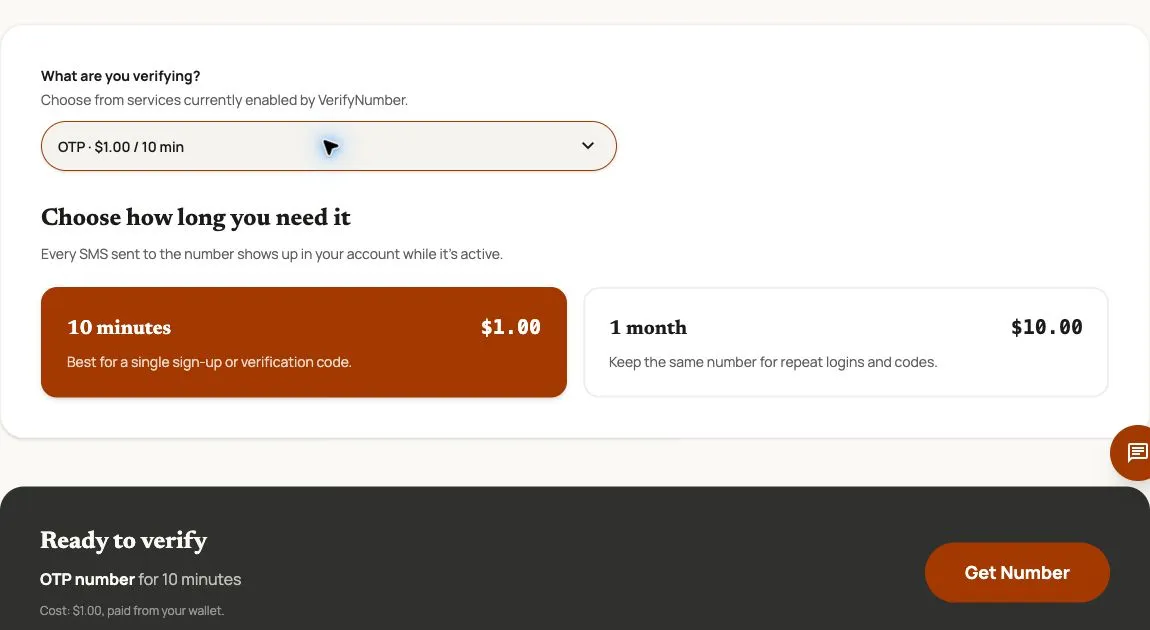
Actual controls captured November 4, 2026. Displayed prices are dated examples. This screenshot does not demonstrate Bumble acceptance or SMS delivery.
The VerifyNumber terms describe temporary receiving access, possible number reassignment, and no promise that a third-party platform will accept a number. They also say the service does not provide voice calling. If you need ongoing account access, arrange a line you can retain instead of treating a longer rental as permanent ownership.
Step 4: Start Signup in the Bumble Mobile App
Download Bumble from the App Store or Google Play Store. Bumble has discontinued its web version, so older instructions that send you through desktop signup are no longer the right starting point.
Follow Bumble’s current signup instructions: choose Use mobile number, enter the number, and confirm it. Check the country code and digits carefully. Use your existing account’s login method if you already have a profile; changing the method can accidentally lead to another account.
A number being available in a rental service does not establish its eligibility for Bumble. If Bumble rejects it, stop and follow the explanation or support path it provides. Do not keep purchasing replacements to work around a restriction.
Step 5: Enter the SMS Code and Complete Your Profile
Bumble’s documented SMS flow sends a six-digit code. If you are using an active rental, return to its message view and check for the SMS addressed to that number. Enter the received code in Bumble and continue with the profile prompts. Only use a code intended for your own signup.
Bumble also documents a call option. That does not mean an SMS rental supports the same route. VerifyNumber’s temporary SMS service does not provide voice calling, so do not switch to a call expecting the rental inbox to receive it.
Follow any additional verification Bumble requests and supply accurate profile information. A successful phone check is only one part of account setup. It is not a substitute for Bumble’s profile or identity checks, and it does not give permission to ignore its rules.
Step 6: Add Another Login Method and Plan the Number Change
Before relying on the new profile, open Profile → Settings → Security & privacy → Ways you can log in. Under Other ways to log in, choose an available method you can maintain. Bumble currently documents Facebook, Apple, and Passkey options.
Set this up while you can still use the account. If the linked number will expire or change, use Change number in the same area and follow Bumble’s prompts to replace it with a number you control. A secondary login is helpful, but it does not make leaving an old number attached safe.
Bumble says that losing a number without another login method can leave an account unrecoverable. Treat the expiry date as an account-maintenance deadline. Do not assume another rental will return the same digits or recover the old profile.
If the Code or Login Does Not Work
First separate a missing message from a rejected number. A rejection needs the platform’s explanation; requesting another code will not necessarily change number eligibility. For a missing SMS, check the entered number, country code, active rental, and any retry message before requesting another one.
Our SMS code troubleshooting guide walks through those checks. The eSIM and VoIP explainer explains why a number’s label alone does not prove that a platform will accept it.
For an existing profile, use Bumble’s login troubleshooting guidance. Check which login method belongs to the account before creating anything new. Contact Bumble about account restrictions or access, and VerifyNumber Support about the rental or its messages. Neither a new number nor a new signup is a recovery procedure for an older account.
VerifyNumber Compared With Free Bumble Setup Options
Choose based on number control and future access, not just the price of the first SMS.
| Option | Useful when | Limitation to consider |
|---|---|---|
| A separate mobile line you already control | You want to keep using the Bumble profile and can maintain that line | You remain responsible for keeping it active and updating account details |
| A free public SMS inbox | You are evaluating how public inboxes work | Messages are publicly accessible; avoid tying a personal dating profile to it |
| A VerifyNumber rental | You need bounded SMS receiving access and have checked suitability and expiry | It costs money, ends after the rental period, and does not guarantee Bumble acceptance |
If an existing separate line already meets your needs, there is no reason to add a rental. If you need a temporary receiving workflow, review its limits before committing funds.
Additional Benefits of Using VerifyNumber for Bumble Setup
Review the duration before committing. The rental selector makes the receiving window explicit, so you can decide whether a finite session fits your task.
Keep the SMS task in a dedicated account. The SMS Verification area and My Numbers navigation give you a place to manage the rental separately from your everyday phone inbox. That organizational benefit does not establish anonymity or permanent number ownership.
Check the cost before requesting a number. The service, duration, and wallet charge appear in the rental flow. Use those details to make a deliberate choice; they are not evidence of platform acceptance.
Wrapping Up
Keeping your personal number separate from Bumble starts with choosing a number you can control. If a temporary rental fits, review the VerifyNumber service and duration, then follow Bumble’s mobile SMS signup. Finish by adding a secondary login method and updating any number you will lose access to. For an ongoing dating profile, dependable future access matters as much as the first code.
Review the current options in VerifyNumber. Check the rental window and cost before you decide, and keep a plan for your Bumble account after that window ends.