How to Set Up an OkCupid Account Without Your Personal Phone Number
Set up OkCupid with a separate number, understand SMS eligibility and rental expiry, and follow the right number-update route for iOS, web or Android.
You can keep your everyday number separate from your dating account, but OkCupid still requires phone verification. Start with a number you control, check whether it is suitable for SMS, and decide how you will keep access later. A temporary rental is a limited receiving window, not a permanent account credential.
TL;DR
- OkCupid signup includes phone verification, even when you begin with email.
- A separate mobile line you maintain is the stronger option for an ongoing profile.
- VerifyNumber setup is optional. Review the rental, cost and expiry before purchasing; acceptance is not guaranteed.
- Plan future access before the rental ends. OkCupid’s number-update instructions differ for iOS/web and Android.
Why Keep Your Personal Number Separate From OkCupid?
A separate number can help you keep an everyday contact detail out of a particular account. That is a narrower goal than anonymity: your profile, photos and conversations still disclose information about you. Decide which boundary you want before choosing a phone service.
If your main concern is sharing a number with a new match, you may not need a rental at all. OkCupid’s safety advice recommends keeping early conversations on the platform and protecting personal information. Staying in the app is a useful free first step.
If you also want a different number attached to the account, consider how long you intend to keep the profile. A line you maintain gives you a more durable receiving destination than a short rental. VerifyNumber’s terms describe finite assignments, possible reassignment after the window closes, and no guarantee of acceptance by a particular platform.
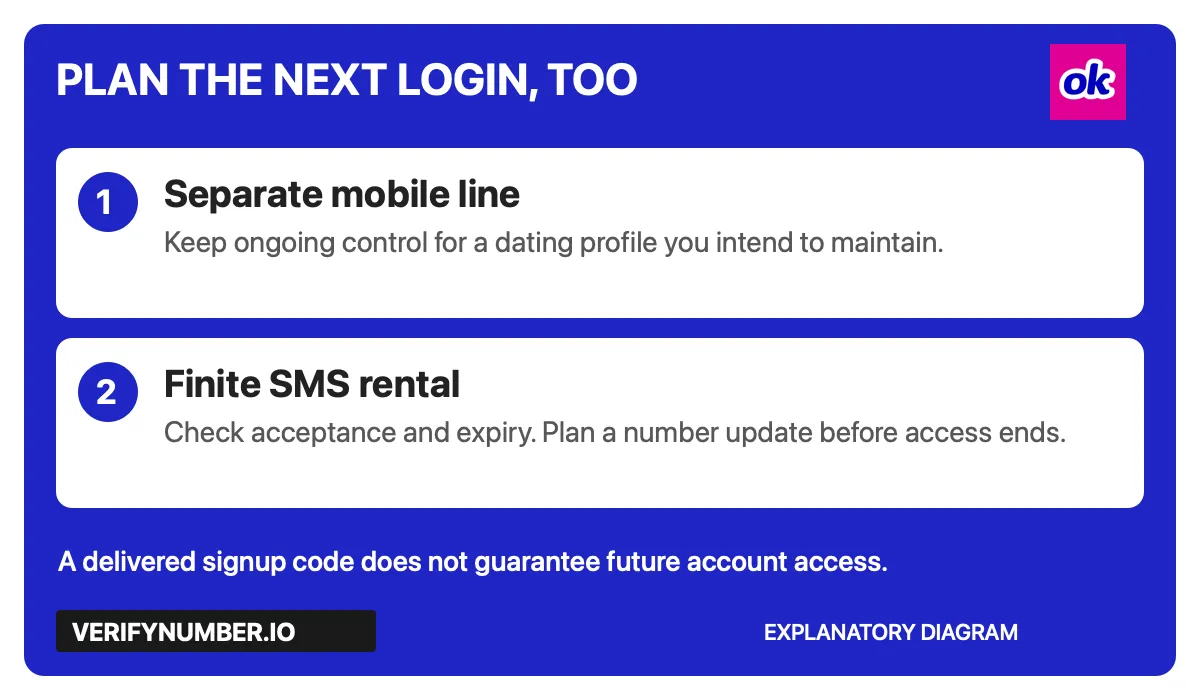
An explanatory diagram, not an OkCupid screen. Choose for the next login as well as the first code.
Use this guide for one account that is yours. OkCupid’s community guidelines require a genuine relationship-seeking profile, accurate details and users aged 18 or older. Another number is not a reason to make duplicate profiles or get around someone’s block.
Step 1: Access Your VerifyNumber Account, If Needed
If you already have a suitable separate mobile line, skip Steps 1–3. These steps apply only if you have decided that a finite SMS rental fits your needs and you understand its limits.
Open VerifyNumber and use the account-access prompts. In the SMS Verification area, New Verification is the rental entry point; My Numbers is where you review assigned numbers. Keep your account credentials private.
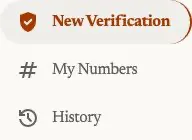
VerifyNumber navigation captured November 4, 2026. Account details are outside the crop.
Step 2: Review the Rental Cost and Your Wallet
Read the current offer before adding funds. The Top up wallet control is the wallet entry point. Add funds only when needed, and review the amount and payment terms shown in your own session.

Wallet control captured November 4, 2026. This is not a payment receipt.
The current public support page says rentals are paid from the wallet before assignment. If a charge, payment result or credit is unclear, contact support before repeating it. Do not assume that an OkCupid rejection automatically qualifies for a refund.
Step 3: Review the OTP Service and Choose a Duration
In New Verification, review What are you verifying? and the available OTP option. Choose the rental duration, inspect Ready to verify, and use Get Number only after reviewing the cost and deciding to proceed.
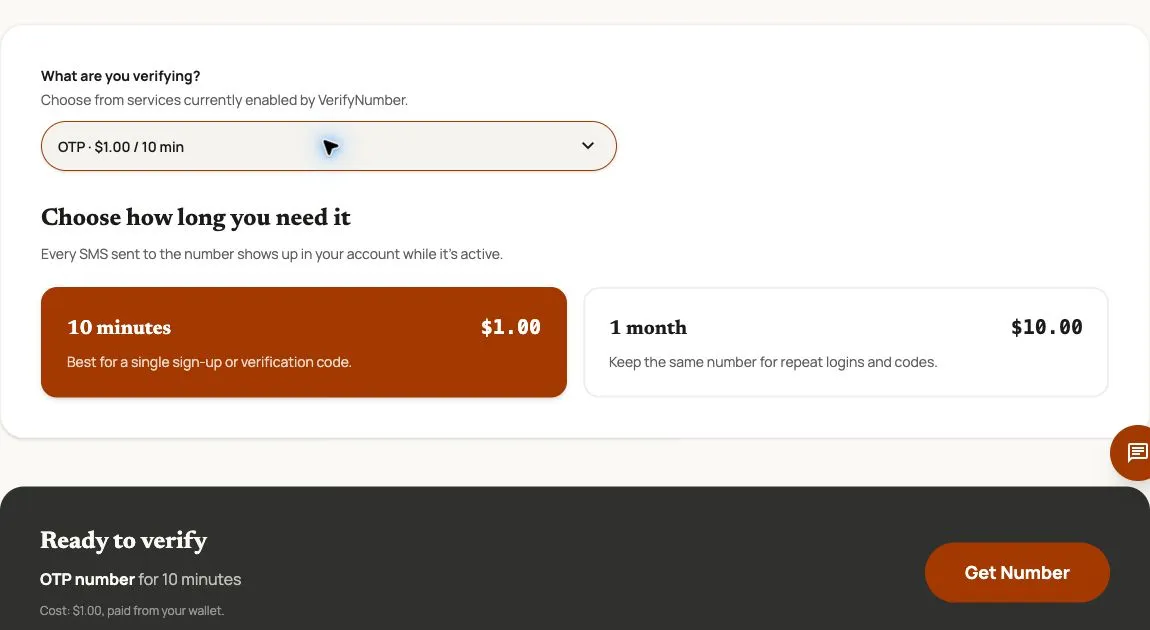
Actual controls captured November 4, 2026. Prices are dated examples. This image does not demonstrate OkCupid acceptance or code delivery.
The captured screen offers 10 minutes and 1 month. Neither is permanent. Check the choices currently available to you, then confirm the assigned number and expiry in your account before requesting an SMS. Do not look for an OkCupid-specific product based on this screenshot: it shows an OTP service selection.
For an ongoing dating profile, pause if you cannot explain how you will retain or replace the linked number. Buying a longer window gives you more time; it does not establish a recovery guarantee.
Step 4: Start Your OkCupid Profile
Use the official OkCupid app or website. Its account setup guide describes starting with email, supplying your profile details and preferences, adding photos and a bio, and answering matching questions. Phone verification remains part of signup.
Use an email address you can continue accessing. Complete the prompts with accurate information and follow the screen presented to you; the sequence can vary. Do not create a replacement account merely because an existing account is difficult to access.
A separate number also does not make public profile details private. Review what your photos and bio reveal, and keep contact information out of your profile. OkCupid’s community rules specifically address public disclosure of private contact details.
Step 5: Complete the SMS Check
Enter the selected number and correct country code in OkCupid. If it sends an SMS, retrieve the message from the receiving destination for that number and enter the code in the same verification flow. Keep the code private.
OkCupid’s SMS help page excludes landlines and some internet-based services or texting apps. A number being labelled non-VoIP is not proof that OkCupid will accept it. This guide does not report a tested signup or delivery result.
Resolve a Rejection Before Requesting More Codes
| What happens | What to check next |
|---|---|
| No message arrives | Check the digits, country code and receiving access; confirm a rental is still active. |
| OkCupid reports an incompatible number | Use its official help route. Repeated code requests do not change number eligibility. |
| The number is already linked to an account | A number can be attached to only one OkCupid account. Do not access an unfamiliar account. |
| A rental or wallet issue appears | Give VerifyNumber Support the rental ID, time and error context without secrets. |
For a rented inbox, investigate the session with the rental provider instead of changing unrelated settings on your own phone.
Our missing-code checklist explains how to check the destination before resending. The eSIM and VoIP comparison separates number type from actual acceptance.
Prepare for Future Access Before the Number Expires
Keep access to the email used for the account and plan any number change while you can still sign in. Do not rely on a remembered login session as your entire recovery plan.
OkCupid’s dedicated number-update instructions give different routes:
- iOS: Profile, Settings, Phone number, then edit and verify the new number.
- Web: Profile, Settings, Edit Phone, then verify the new number.
- Android: Contact OkCupid support using the link in that article.
The broader SMS help page describes email-and-password access from a previously verified device after a number change. Treat that as a conditional recovery route, not a promise that any new device will work. If you cannot sign in, contact OkCupid; buying another rental does not restore the old account by itself.
Before signing out, make sure you understand the supported update path for your device. A useful personal checklist is: accessible email, current password, linked number, expiry if applicable, and the official support route. Store that checklist securely without including verification codes.
VerifyNumber Compared With Free OkCupid Setup Options
The right comparison is about what you need to control, not whether paid automatically means better.
| Option | Useful when | Main limitation |
|---|---|---|
| Keep conversations inside OkCupid | You want to avoid giving your everyday number to new matches | It does not remove signup verification. |
| Use a separate mobile line you maintain | You want a distinct number with ongoing receiving access | You must keep the line active and manage its cost. |
| Use a free public SMS inbox | You are evaluating an openly accessible receiving page | Publicly visible codes are unsuitable account secrets; continued access is uncertain. |
| Use a VerifyNumber rental | A bounded SMS receiving session fits a legitimate verification task | Access expires and platform acceptance is not guaranteed. |
VerifyNumber provides an account-based rental workflow and a support route. Those are practical differences from an anonymous public inbox, not evidence of higher acceptance, permanent ownership or guaranteed recovery.
Additional Benefits of Using VerifyNumber for OkCupid Setup
Review the window before committing. Duration choices make the receiving period explicit so you can compare it with the time you need.
Keep session details together. Rental navigation gives you a place to review the number associated with your attempt rather than mixing it up with your everyday line.
Separate rental support from account support. VerifyNumber can review session and charge questions; OkCupid handles its own eligibility, profile and account-access decisions.
These benefits matter only when a temporary receiving session is appropriate. For a profile you want to keep, continued control of the linked number deserves more weight than finishing the first SMS check.
Wrapping Up
Choose a number strategy first. If a rental is appropriate, access VerifyNumber, review the wallet and duration, then complete OkCupid’s own signup and SMS prompts. Plan the supported number-update route before the receiving window ends.
Review your options with VerifyNumber. For rental questions, visit VerifyNumber Support or email support@verifynumber.io. The team can review the issue and help with next steps; it cannot guarantee OkCupid acceptance or recover your dating account.