How to Test SMS Verification Without Using Your Personal Number
Test SMS verification without using your personal number. Compare simulated and real SMS tests, prepare a rental, check code handling, and record useful results.
Use your authentication provider’s simulated test mode for repeatable checks of the signup interface and code-handling logic. Use a separate, eligible SMS number when you need to check an actual message arriving and being accepted by your application. These tests answer different questions: a simulated success does not establish carrier delivery, and one delivered text does not validate every failure case.
This guide is for developers and QA testers working on applications they own or are authorized to test. It explains a manual workflow, not a claim that we completed an SMS delivery test or that a temporary number will be accepted by every service.
TL;DR
- Start with the test outcome: application logic or real SMS delivery.
- Use provider-supported test numbers for repeated development checks where available.
- For a real receiving test, prepare your VerifyNumber account, wallet and rental duration before requesting the message.
- Record outcomes and timings, keep codes out of reports, and remove temporary number dependencies before access ends.
Why separate test messages from your personal number?
A dedicated receiving number can keep test traffic out of your everyday inbox and make it easier to identify the message belonging to a particular test run. It also lets you plan access around a test session instead of relying on whoever has a personal phone nearby.
A rental is not a complete test environment, though. You still need a controlled account, an authorized sender and an application whose expected behavior you understand. If you need the same number for repeated regressions or recovery over a long period, arrange continued control rather than assuming a short rental will remain yours.
Before buying anything, decide which question you need to answer. The diagram below separates a simulated check from a real receiving test; neither replaces the other.
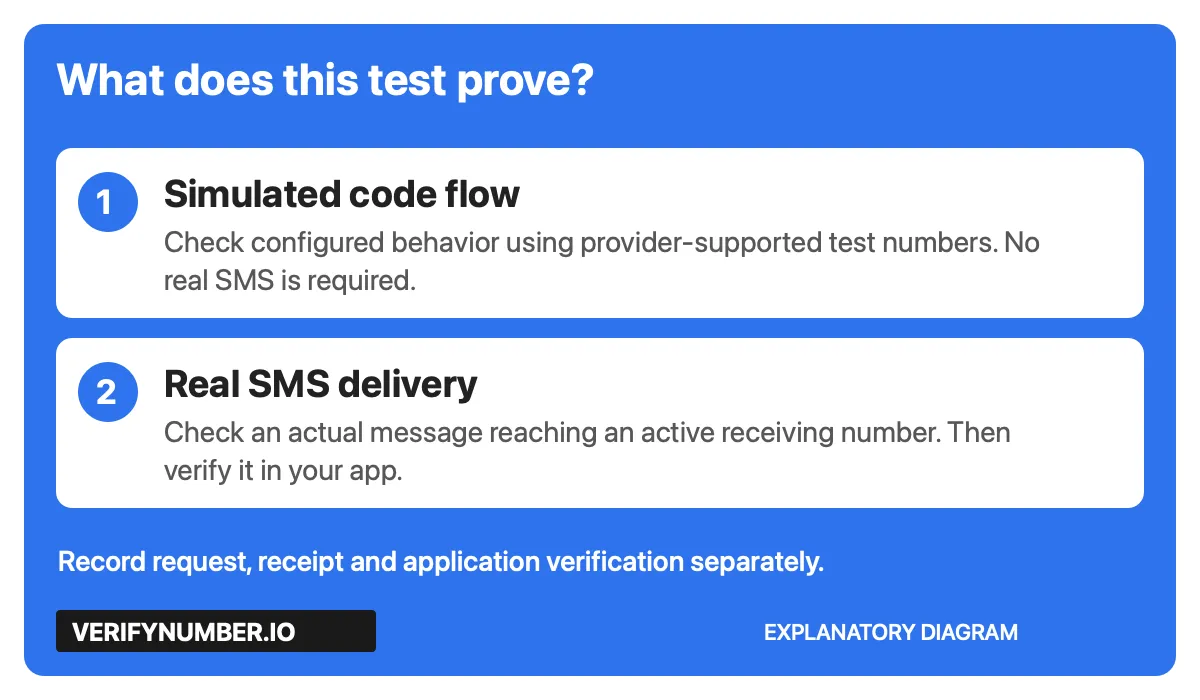
Conceptual diagram: simulation checks configured behavior; a real SMS test also exercises the delivery path.
For example, Firebase’s Android phone-auth testing documentation describes fictional numbers with configured codes that do not send an SMS. Those test users can still receive valid authentication tokens, so protect their access and keep testing settings out of production releases.
Twilio’s test-credential documentation similarly distinguishes simulated requests from connections to real numbers. It also notes that new test credentials cannot be created in its new console, although existing legacy credentials continue to work. Check the supported method for your provider and current account rather than following an old setup screenshot.
Step 1: Open your VerifyNumber account for the real SMS test
If a simulated test answers your question, skip the paid setup in Steps 1 through 3. Otherwise, open VerifyNumber and enter your account through its current access flow. Existing users can continue from the dashboard.
The authenticated navigation includes New Verification, My Numbers and History. Choose New Verification to review a rental, and use My Numbers to find an active one. Keep this receiving workflow separate from the application that will send the test message.
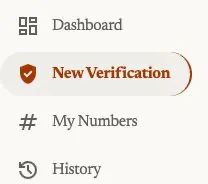
VerifyNumber navigation captured on October 28, 2026. Personal account details are excluded.
Step 2: Review the wallet and the cost before adding funds
The rental screen shows the selected duration and cost before Get Number. Compare that charge with your available wallet balance. If funding is needed, Top up wallet opens the amount-selection flow; review the current details before continuing.

The wallet entry point, captured on October 28, 2026. This is not evidence of a payment or a refund policy.
Set a small budget for the planned test and avoid treating repeated purchases as troubleshooting. A rejected destination, a sender configuration problem and a missing message need different investigations. Funding the receiving account does not configure your application’s SMS sender.
Step 3: Choose a duration that covers the test session
On New Verification, review Choose how long you need it, then the Ready to verify summary. The observed flow offers 10 minutes and 1 month. Choose around the time needed for preparation, delivery and verification, not only the moment you press Send.
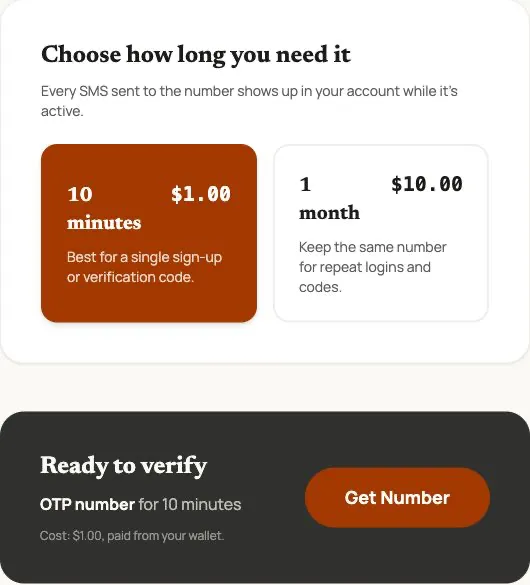
Rental controls captured on October 28, 2026. Displayed prices are a dated observation; check the current offer. No rental was purchased for this guide.
When the offer fits your test, Get Number is the rental action. After assignment, confirm the active number and its access period in your account before using it. There is no platform picker in this observed selector. Number availability and the destination’s acceptance remain separate checks.
Step 4: Prepare one controlled test case
Write the expected result before sending anything. A useful first case is: a test user requests a code, the message reaches the receiving inbox, and the application accepts it once within its configured validity period.
Give the run a short identifier and record the application build and environment. Confirm that the sender is configured for a real SMS test, that the destination is permitted, and that you can access the receiving rental. A test number configured inside an authentication provider is not the same thing as an SMS-capable rental.
For a hypothetical staging build, the note might read: “Run QA-042; build staging-218; signup; request submitted; message observed; verification accepted.” Add actual observations as they happen. Do not prefill a successful outcome or copy a live code into the note.
Step 5: Check delivery and verification separately
Request one message through your application’s normal flow. Observe whether the request is accepted, whether the text appears in the active receiving session, and whether the code completes the intended application step. Record those as three distinct results.
A sender response is not the same observation as a received message. A received message is also not proof that the user was signed into the correct test account. Check the resulting application state, not just a success toast.
Use your application’s documented policy to plan failure cases. OWASP’s OTP handling guidance calls for limited validity, single use and attempt limits, and advises against logging OTP values. The following is a proposed QA checklist, not a universal service contract:
| Case | What to check |
|---|---|
| Valid code | The intended account action completes once |
| Wrong code | Verification fails without completing that action |
| Expired code | The configured validity limit is enforced |
| Reused code | A successful code cannot authorize a second action |
| Resend | Old and new codes behave according to your documented policy |
| Attempt limit | The configured restriction is enforced without granting access |
Run repeated negative cases in a controlled test environment where possible. Do not send bulk requests to a third-party service or weaken its safeguards to make a test pass. If an SMS is missing, follow our verification-code troubleshooting guide before resending or renting again.
Step 6: Record the outcome and clean up temporary dependencies
Keep the environment, case identifier, request time, observed arrival time and final result. Add the relevant error wording or a correlation identifier from your own system when available. Label missing observations explicitly: “request accepted, no message observed” is more useful than “SMS broken.”
Exclude codes, credentials, full message bodies and unnecessary personal details from shared reports. If a screenshot is needed, capture only the relevant state and remove secrets before sharing it. A test account should not become a production recovery route merely because it worked once.
Before the rental ends, remove or retire the test account’s dependency on that number according to your test-data procedure. Preserve a controlled recovery method for any account that must remain usable. Keep evidence of the test result, not a permanent copy of authentication secrets.
For later automation, our VerifyNumber API guide covers the rental and message-reading lifecycle. Define the cases and cleanup behavior first, then automate the established workflow.
Why choose VerifyNumber over free test options?
Choose the tool around the evidence you need. A supported simulator may be the best option for repeated development checks; a receiving rental adds value when the question is whether a real message arrives during a controlled session.
| Option | Useful role and limitation |
|---|---|
| Provider test mode | Repeatable configured behavior; it may not send a real SMS |
| Free public inbox | Messages may be visible to others; unsuitable for secrets or persistent account recovery |
| VerifyNumber rental | Account-based receiving access for the selected period; paid and subject to availability and destination acceptance |
| A maintained test line | Continued number control for recurring work; requires its own ongoing management |
Paying for a number is not evidence of better delivery or universal acceptance. Use the smallest test setup that answers the actual question.
Additional benefits of VerifyNumber for SMS testing
A visible access window. The duration selector lets you review how long a rental is intended to remain available. Match that window to the test plan and verify the assigned rental’s actual expiry.
A separate receiving workflow. My Numbers gives you an account entry point for active rentals, keeping the receiving side distinct from the application under test and your personal inbox.
A cost checkpoint. The displayed wallet charge can be reviewed before the rental action. That makes the purchase an explicit part of the test budget rather than an unexplained retry step.
These are observed workflow features, not a guarantee about a particular sender, message or delivery time.
Wrapping Up
Start with simulated tests for repeatable logic checks. When a real SMS is necessary, prepare the receiving account, review funding, choose an appropriate rental duration, then check request, receipt and application verification separately. Finish by recording a sanitized result and removing temporary number dependencies.
Ready for a controlled receiving test? Get started with VerifyNumber and review the current number offer before requesting an SMS. For rental or wallet issues, visit VerifyNumber Support. Keep future access in mind: a temporary receiving session is not permanent control of a recovery number.