How to Create a Yahoo Account Without Your Personal Phone Number
Create a Yahoo account with a separate mobile number, understand temporary SMS rental limits, and set up recovery before relying on your new inbox.
You can keep your main phone number separate from a new Yahoo account by using another eligible mobile number you control. That does not mean Yahoo signup is phone-free: its official signup instructions include mobile-number verification. A temporary SMS rental is a conditional option, with acceptance and future-access limits to consider before paying.
TL;DR
- Yahoo’s documented signup flow requires a mobile number. Choosing My Email changes the email address you use, not that documented requirement.
- For an inbox you intend to keep, prefer a separate mobile line you can retain.
- If considering VerifyNumber, review your account, wallet and rental duration before requesting any code. Yahoo acceptance is not guaranteed.
- Set up a recovery email you can access independently. A successful first code does not guarantee later access.
Why Keep Your Yahoo Account Separate From Your Main Number?
A separate number lets you avoid adding your everyday contact number to another account. That can be useful when you want a dedicated inbox for a project or a clearer separation between personal and other correspondence. It does not make the account anonymous or remove Yahoo’s verification requirements.
Think about the life of the inbox before the speed of signup. An email address may later become the recovery address for other accounts. We recommend a mobile line you can keep for that role. A short rental is a poor foundation for an inbox whose loss would disrupt your work or other logins.
Yahoo says unfamiliar sign-ins can trigger another verification request. If recovery information becomes inaccessible, regaining access may be impossible. That makes number continuity part of the setup decision, not something to postpone until a login fails. See Yahoo’s sign-in help.
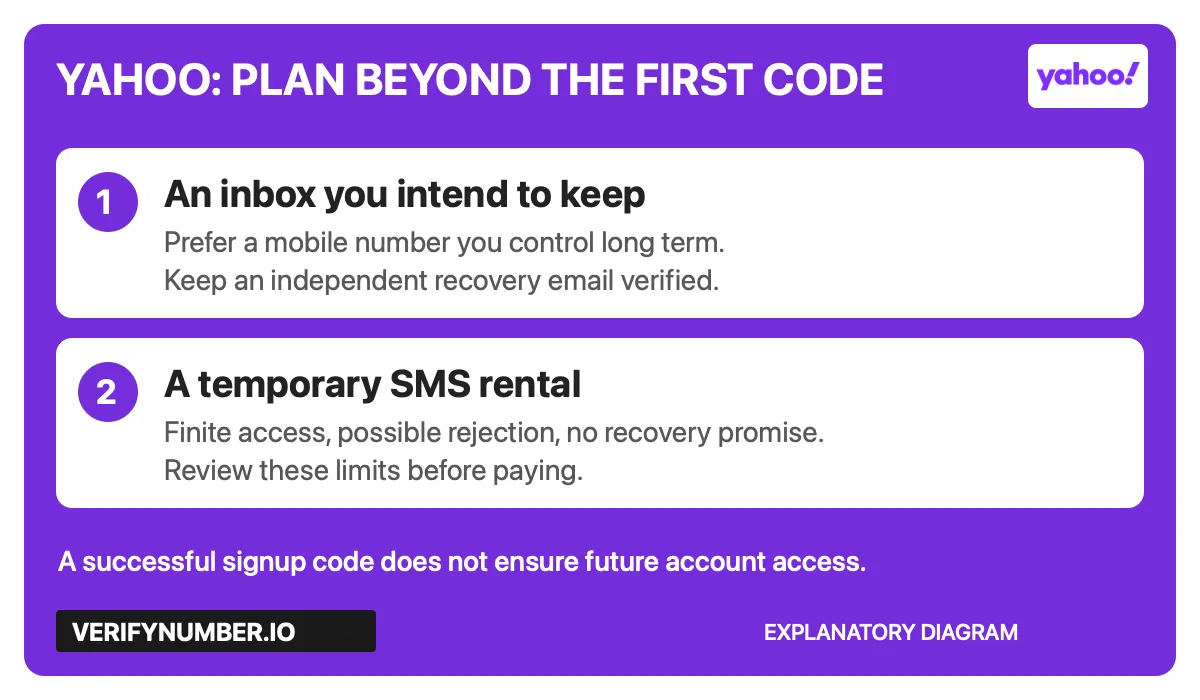
Explanatory diagram: choose a number around the access you need later. This is not a Yahoo interface screenshot.
Step 1: Access Your VerifyNumber Account, If Needed
Skip Steps 1–3 if you already have a suitable separate mobile line. You do not need to buy a rental just to follow the Yahoo setup steps below.
If you are evaluating a rental, open VerifyNumber and use its current account-access prompts. Existing users can sign in. Locate New Verification and My Numbers so you know where to review rental options and active numbers.
VerifyNumber navigation captured November 4, 2026. Reused from the existing dashboard screenshots; labels may change.
Step 2: Review the Rental Cost and Your Wallet
Review the amount and terms displayed for the rental you are considering. Use Top up wallet only if you decide to proceed and need funds. Check the current payment screen before confirming anything; this guide does not establish a minimum deposit, payment method or refund outcome.

Wallet entry point captured November 4, 2026. No payment or top-up was performed for this guide.
Before spending, decide whether you need ongoing access to the number. VerifyNumber’s service terms describe limited number assignment and no guarantee that a third-party platform will accept a temporary number. A longer rental still has an end date.
Step 3: Review the OTP Options and Rental Duration
In New Verification, review the available OTP options, duration and charge shown in your dashboard. If the rental fits your intended use, Get Number is the control shown in the existing capture. Use the assigned number only while your rental is active, and confirm its expiry before asking Yahoo to send a code.
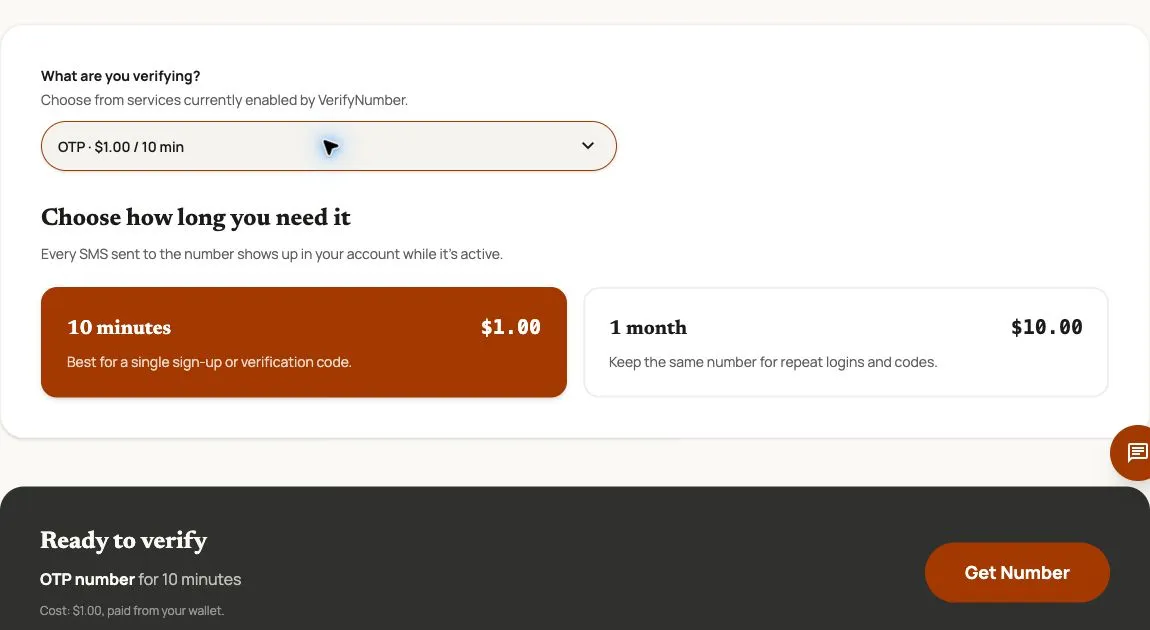
Actual controls captured November 4, 2026. Prices are dated examples. This image does not demonstrate Yahoo acceptance or code delivery.
This is a documented workflow using existing screenshots, not a completed Yahoo signup test. Do not treat a visible rental option as confirmation of compatibility. If you need a permanent recovery number, choose a line you can maintain instead.
Step 4: Start Yahoo Signup With the Number You Control
Use the sign-up link on Yahoo’s official account-creation help page. Fill in the required fields accurately, including the password and date of birth requested by the form. Continue to the mobile-verification prompts.
Enter your chosen mobile number and check that the selected country code matches it. If you are using a rental, compare the complete number against the active rental before requesting the SMS. Follow the delivery method and instructions Yahoo actually offers.
My Email is not a documented way to skip mobile verification. Yahoo describes it as a way to create an account with an existing email address rather than a new Yahoo address. Do not purchase a number on the assumption that this option changes the phone requirement.
Step 5: Complete the Code Check or Stop at the Error
For your own mobile line, check its messages. For an active VerifyNumber rental, open the corresponding number in My Numbers and check for the message. Enter the code only into the Yahoo signup flow you started. If Yahoo confirms the check, finish the remaining prompts.
If the message does not arrive, compare the number and country code, confirm that the rental is still active, and read the error before requesting another code. Yahoo’s verification troubleshooting identifies incorrect contact information and non-mobile numbers as possible problems. Follow the resend instructions on the current screen; do not cycle through purchases to work around a rejection.
For a broader diagnostic checklist, see what to check before resending an SMS verification code. For rental or charge questions, contact VerifyNumber support at support@verifynumber.io, with the rental ID, time zone and exact error. The team can review the issue and help with next steps. Never send your password, verification code or full payment details.
Step 6: Set Up Recovery Before Relying on the Inbox
After signup, open Yahoo Account Security. Under Ways of signing in, add a recovery email you can access independently and complete its verification. Yahoo’s recovery-method instructions explain how to add, verify and remove contact methods.
Check that every recovery method still belongs to you. Before a number expires or changes hands, update your account with a lasting method and follow Yahoo’s verification prompts. An additional email does not promise that Yahoo will never ask for a phone check again. Do not leave an expired rental listed as a number you control.
Use a unique password and review Yahoo’s available two-step verification options. Yahoo documents authenticator apps among its security verification methods. Enabling one protects later sign-ins; it does not substitute for a phone check required during signup.
Our account-access checklist before changing your number can help you review other services tied to the same line. Avoid making your new Yahoo inbox the only recovery route for another important account until you have checked its own recovery setup.
VerifyNumber Compared With Free Yahoo Signup Options
The useful comparison is how much control you retain over the number, not whether a site advertises free codes.
| Option | What to consider |
|---|---|
| A suitable mobile line you already control | No new SMS rental is needed. Keep the line active and recovery details current. |
| Yahoo’s My Email option | Uses an existing email address. It is not documented as removing the signup mobile-number requirement. |
| A public SMS inbox | If messages are visible to anyone, an account code is visible too. Avoid using such an inbox for account access. |
| A VerifyNumber rental | Provides a dashboard workflow with a finite rental period. Acceptance, code delivery and later account access are not guaranteed. |
For lasting email access, retaining control matters more than a low upfront cost. A paid rental should not be confused with permanent number ownership.
Additional Benefits of Using VerifyNumber for Yahoo Setup
Review the duration before committing. The rental screen lets you inspect the available time windows and decide whether a temporary workflow fits your task.
Keep the rental in one account workflow. New Verification, My Numbers and the wallet entry point provide places to manage the rental side of the process. They do not change Yahoo’s acceptance rules.
Get help with the rental itself. VerifyNumber support can review a missing message or charge issue. Yahoo account restrictions and recovery decisions remain with Yahoo.
Wrapping Up
Start by choosing a number you can control for as long as you need the Yahoo inbox. If a temporary rental fits your use, review VerifyNumber’s account, wallet and duration options, then follow Yahoo’s signup prompts and set up recovery. Keep the difference between receiving one code and retaining an account in view.
Review your options before requesting a code. Get started with VerifyNumber to inspect the current rental choices. For an inbox you intend to keep, prefer a lasting mobile line and verified recovery information.